Scanner Radio - Police Scanner
- 4.7
- Rating
- 10.00M
- Installs
- Free
- Price
 Analysis by App-foxy
I tend to keep a news app open for headlines, but breaking events often develop faster than written coverage. Scanner Radio - Police Scanner takes a different route: it lets me listen to live public-safety, weather, and other radio feeds from a phone instead of waiting for a news article to catch up. After spending time with it, I see it as a focused listening tool rather than a replacement for a normal news reader.
The appeal is immediate. When severe weather moves through an area, a major road incident unfolds, or local activity suddenly increases, live radio can provide a sense of what is happening before a polished report appears. The app belongs to the News & Magazines category, but it feels closer to an audio monitoring service than a conventional newspaper app. That distinction matters when deciding whether it deserves a place on your phone.
When live listening is the right kind of news
I find the app most useful when I have a specific question to investigate, not when I want a continuous stream of general headlines. If I hear about a disruption near a route I use, for example, I can listen for local developments while checking a map or official travel updates. The audio may help me decide whether to look more closely, but it should not be the sole reason I change plans.
You May Also Like

 AccuWeather: Weather Radar
AccuWeather Review: A Quick, Clear Forecast for Everyday Decisions
For everyday plans, the best forecast is the one you can understand quickly. AccuWeather makes rain timing, radar, and local conditions easy to act on, with a few trade-offs.

 Hill Climb Racing
Why Hill Climb Racing Still Turns Crashes Into One More Run
A tiny car, a bumpy hill and one more upgrade: Hill Climb Racing keeps resurfacing because its simple chaos makes every near-miss feel personal.

 AliExpress - Shopping App
AliExpress Makes Global Shopping Feel Personal, but Shoppers Bear the Risk
AliExpress turns a global marketplace into a pocket-sized discovery engine. Its reach is useful, its shopping loop compelling, and its trade-offs easy to miss.

 Lords Mobile: Kingdom Wars
Lords Mobile Is a Kingdom-Building Routine, Not a Quick Match
A case-by-case verdict on the building, battles, device demands, and social commitments that make Lords Mobile rewarding for some players and exhausting for others.

 PDF Scanner app - TapScanner
TapScanner Makes Paperwork Easier to Capture, Check, and Share
TapScanner makes scanning with a phone feel less like a rescue operation and more like a dependable step in getting work done. Its capture tools are useful, though not flawless.

 Block Blast!
 Shows How Much a Puzzle Game Can Leave Out
A quiet grid game shows why puzzle players increasingly value instant clarity, repeatable skill and low-pressure play—and where the genre still needs to catch up.
More From Our News Desk
View All News


That makes it a better fit for curious local listeners, weather watchers, and people with an interest in aviation or public-safety activity than for someone who wants a quick morning briefing. It can also suit a household that wants another source of situational awareness, as long as everyone understands that scanner traffic is not the same as an official instruction. If fragmented transmissions make you tense, a calm written alert is likely the better choice.
How Scanner Radio fits into everyday news monitoring
The app is developed by GordonEdwards.net LLC and has been available since Apr 25, 2010. That long presence helps explain why it feels built around a specific habit: choosing a feed and listening for developments, rather than endlessly scrolling through articles. Its store summary points to police, fire, weather radios, air traffic, and more, so the experience is broader than the name alone might suggest.
In practice, I found the most useful approach was to treat the app as a companion during an event. I would select a relevant local or regional feed, lower the volume enough to keep it in the background, and use written news or official announcements to confirm important details. Radio chatter can be fast, incomplete, and full of shorthand. It is excellent for awareness, but it is not automatically a complete explanation of what is happening.
That difference is the first important lesson for new users. A normal news app gives you edited context, headlines, maps, and a clearer sequence of events. Scanner Radio gives you immediacy and the texture of live communication. If you want a quick summary while commuting, a traditional news source may be easier. If you want to follow an unfolding situation as it develops, the scanner format has a distinctive advantage.
What the free access means for value
The app is free to download, which makes trying it straightforward. There is also a set of in-app purchases priced from $2.99 to $39.99 per item. I would therefore judge the basic experience first, before paying for anything. The free entry point is valuable because scanner listening is a niche interest: some people will enjoy monitoring local activity, while others will discover that unedited radio is too fragmented or repetitive for their routine.
The purchase range means the value question depends on how often you listen and what you expect from the paid options. I would not recommend spending simply because the app has a large audience or a high rating. A paid upgrade makes more sense for someone who already uses the free experience regularly and can identify a specific annoyance or need it addresses. For occasional curiosity, free access is the safer choice.
That approach also avoids a common mistake with apps in this category: assuming that more radio feeds automatically equal better value. The real benefit comes from finding feeds that are relevant to your location and interests. If you rarely listen, a larger selection may not change your routine. If you monitor events often, the ability to return quickly to useful sources can matter much more than the total number of choices.
Finding a practical listening routine
My strongest recommendation is to set up a routine before an emergency happens. Explore the available categories when you are calm, identify feeds connected to places you actually care about, and learn which ones are useful for weather, traffic-related incidents, public safety, or air traffic. Doing this in advance prevents the frustrating experience of searching through a long list while an event is already underway.
A second useful habit is to listen briefly before deciding that a feed is unhelpful. Radio traffic comes in bursts. Several quiet minutes may be followed by a concentrated exchange, and a single transmission rarely gives enough context. I also prefer keeping a written source nearby, because names, locations, and instructions can be difficult to catch when multiple speakers talk quickly.
For a realistic everyday scenario, imagine hearing that a storm is approaching while you are preparing to drive home. I might open the app, choose a weather-related or local public-safety feed, and listen while checking a conventional forecast and road information. The scanner can reveal that activity is increasing, but I would not treat one transmission as proof that a particular road is closed or that a warning applies to my exact location. Its best role is an early signal that tells me when to investigate further.
Why live audio feels different from written coverage
Written news is filtered. Editors decide what deserves attention, combine several reports, and remove much of the repetition. Scanner Radio exposes the raw rhythm of an event: pauses, partial updates, routine calls, and sudden bursts of activity. That can feel more immediate, but it also demands more concentration from the listener.
I like this when I want situational awareness rather than a finished story. It can help me understand whether an incident appears active, quieting down, or moving to another stage. It is also useful for people who absorb information better through audio than through constant reading. On the other hand, anyone looking for a clean summary may find the experience noisy and inefficient.
The app’s coverage of air traffic and weather broadens its appeal beyond police monitoring. Aviation enthusiasts may enjoy following relevant radio activity, while weather-focused listeners can use it as another layer alongside forecasts. Still, the same caution applies across categories: live audio is not a substitute for official alerts or professional instructions. I use it to add context, never as my only source for safety decisions.
Tradeoffs that become clear after regular use
The biggest tradeoff is immediacy versus clarity. A live feed can be ahead of a news article, but it may not explain the full situation. Speakers may refer to places or details that are obvious to local professionals but unfamiliar to a casual listener. Without local knowledge, it is easy to misunderstand what a brief exchange means.
Another tradeoff is attention. This is not always a passive background app. If something important happens, you may need to rewind mentally, wait for another transmission, or cross-check what you heard. That makes it engaging for dedicated listeners but less convenient than a notification-based news service that gives you a short, readable alert.
There is also a practical issue with relevance. A feed that is fascinating during a major event may be quiet on an ordinary day. Users who expect constant action could become disappointed, while people who appreciate intermittent monitoring may see the quiet periods as normal. I would avoid judging the app by a single uneventful listening session.
Privacy and safety expectations should be sensible as well. I would not use live scanner audio to identify private individuals, speculate about an active incident, or interfere with responders. The responsible use is observational: listen, verify important information through appropriate official channels, and avoid turning unconfirmed radio traffic into a claim.
How it compares with other ways to follow an event
Compared with a typical news app, this one trades editorial selection for the chance to hear activity as it happens. Compared with checking a social feed, it can offer a direct audio stream rather than a mix of eyewitness posts, rumors, and reposted headlines. Neither comparison makes scanner listening automatically more reliable: it simply gives me a different kind of raw material to evaluate.
For planned decisions, such as whether to drive through a storm area, I would put official alerts and current maps first, then use audio as extra context if I want it. For a developing local incident, I might do the reverse in terms of curiosity—listen first to understand the pace, then seek a report that explains the broader picture. The useful choice depends on whether I need verified instructions or a closer sense of unfolding activity.
Who is most likely to appreciate it
This app is a strong fit for listeners who follow local events, severe weather, public-safety activity, or aviation. It also suits people who enjoy understanding how an incident develops rather than reading only the final summary. If you live in an area where local radio activity is especially relevant to your daily travel or hobbies, the free version is worth exploring.
It can also help families create a more informed routine during changing weather, provided everyone understands its limits. I would pair it with official emergency alerts and a reliable forecast rather than presenting it as an authority by itself. That combination gives you the scanner’s immediacy without sacrificing verified instructions and broader context.
The app is less suitable for someone who wants a simple stream of national headlines, polished reporting, or quiet audio with no interruptions. It is also not my first recommendation for a person who becomes anxious when hearing fragmented emergency communications. In that case, a standard news app with concise alerts may deliver information in a calmer and more useful form.
Device details and long-term support expectations
The current version is 8.20, and the listed minimum operating-system requirement is 10. That makes checking your device compatibility worthwhile before planning to use it regularly. The app is rated for Everyone, which reflects its general audience positioning, although the subject matter can still include serious or upsetting real-world events depending on what is being monitored.
Its scale is substantial: the app has passed 10 million installs, with an average rating of 4.7 from around 478 thousand ratings and about 66 thousand written reviews. Those figures suggest that the concept works for a broad audience, but they do not remove the need to test it against your own listening habits. A highly rated scanner app can still be the wrong match for someone who prefers edited news.
I also appreciate that the developer is clearly identified as GordonEdwards.net LLC rather than hidden behind a vague label. That does not by itself guarantee that every feed or listening experience will suit every region, but it gives the product a recognizable identity. For me, the more important question remains whether the available audio fits the places and topics I want to follow.
My buy-or-skip verdict
I recommend starting with the free version. It delivers the most important test: whether you enjoy live, unedited radio enough to make it part of your routine. Spend time locating useful feeds, listen during both quiet and active periods, and compare what you hear with written coverage. If the app becomes a regular tool and a paid option solves a specific problem for you, the purchase may be reasonable.
I would skip the paid route if you are only looking for ordinary breaking-news headlines or dependable emergency instructions. The app’s strength is not polished explanation; it is access to live audio that can add immediacy and local flavor. For those who understand that tradeoff, it offers something most standard news apps do not.
My final view is positive but deliberately practical. Scanner Radio - Police Scanner is valuable when you want to monitor events as they unfold and are willing to interpret incomplete information carefully. The free starting point lowers the risk, while the paid choices should be considered only after regular use proves their value. I would keep it as a companion to official alerts and edited reporting, not as a replacement for either one.
FAQs for Scanner Radio - Police Scanner
01What is Scanner Radio - Police Scanner and how does it work?
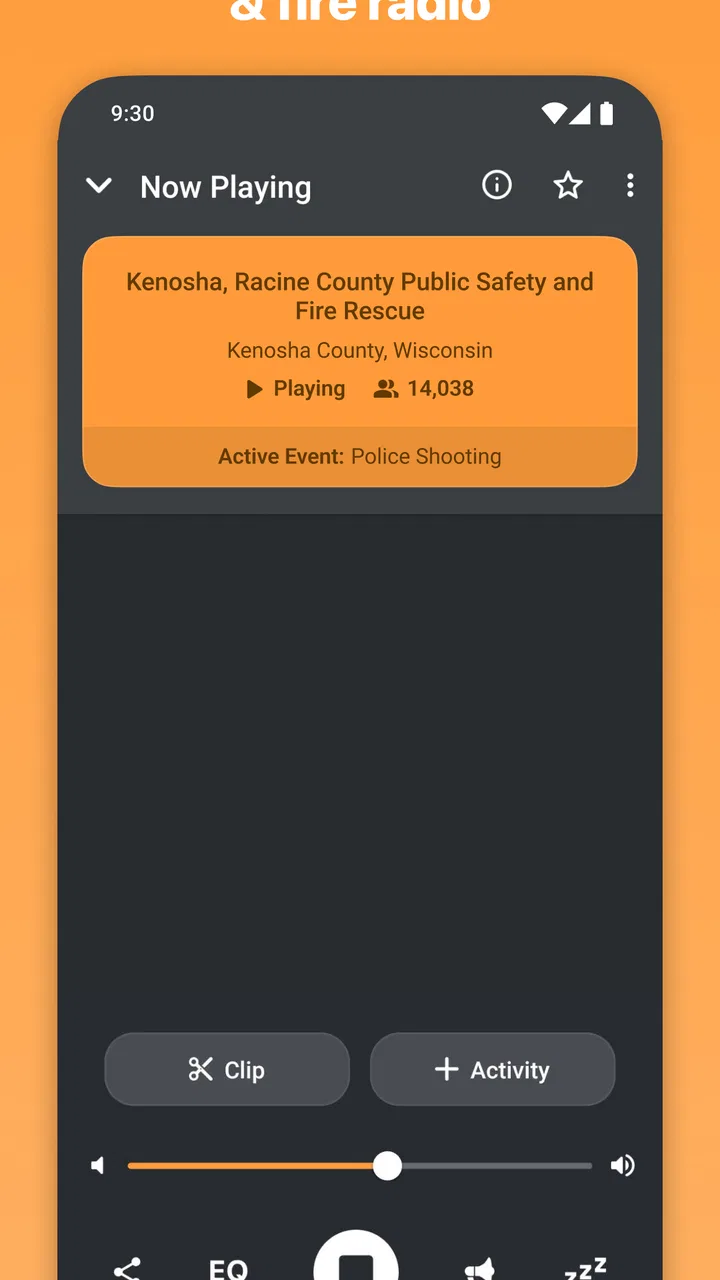
Scanner Radio - Police Scanner is an app that allows users to listen to live audio from over 7,000 police and fire scanners, weather radios, and amateur radio repeaters worldwide. Users can easily search for feeds by location or type, and the app offers a user-friendly interface to tune into different channels and stay informed about local events.
02Is Scanner Radio - Police Scanner free to use, or does it require a subscription?
The app offers a free version with basic features, allowing users to listen to a wide range of broadcasts. However, there is a premium version available through in-app purchase, which provides additional features such as ad removal and access to exclusive feeds. This helps enhance the overall user experience.
03Can I use Scanner Radio - Police Scanner in any location worldwide?
Yes, Scanner Radio - Police Scanner can be used globally, as it provides access to feeds from various locations around the world. However, the availability of specific feeds may vary depending on the region, and some areas might have limited coverage. Users can search for available feeds based on their current location or specific interests.
04Does Scanner Radio - Police Scanner drain battery quickly?
Like many audio streaming apps, Scanner Radio - Police Scanner can consume a significant amount of battery power, especially when used for extended periods. It's recommended to use the app while connected to a power source or to manage your usage by closing the app when not in active use to preserve battery life.
05Are there any privacy concerns associated with using Scanner Radio - Police Scanner?
Scanner Radio - Police Scanner primarily streams publicly available broadcasts, so there are minimal privacy concerns for users. However, it's important to note that the app may request location permissions to provide location-based feed recommendations. Users should review the app's privacy policy to understand how their data is used and managed.
Pros
- Real-time police and emergency updates.
- User-friendly interface and easy navigation.
- Customizable alert notifications.
- Access to global scanner channels.
- Ad-free experience with premium version.
Cons
- Limited features in free version.
- Occasional streaming interruptions.
- High battery usage during live streams.
- Requires stable internet connection.
- Ads can be intrusive in free version.

Scanner Radio - Police Scanner
Gallery